
Your software sends the invoice and gets back the receipt signed by TRA. IncoPOS keeps the VFD, the queue and the Z reports.
Try Pro free for 14 daysSee how it worksEach server needs one paid IncoPOS license. The first 14 days with Pro are free.
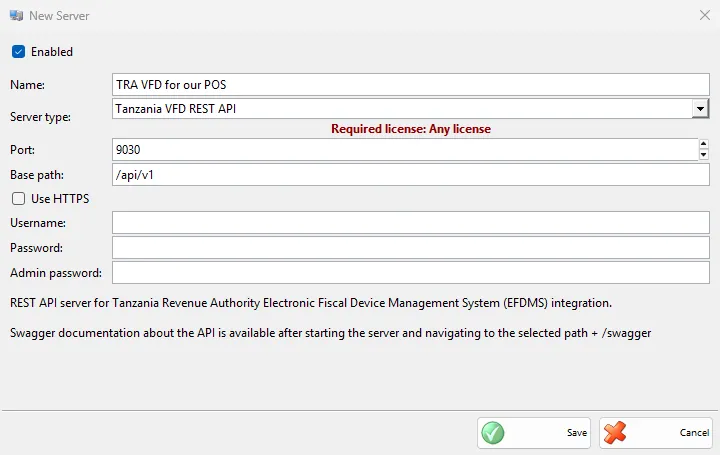
REST API
A REST API with Swagger
POST the invoice and receive the signed receipt with the verification code and the QR link. HTTPS and an admin password protect the server.
Safe to send again
If you send the same invoice number twice, the API returns the receipt that was already signed instead of signing a second one.
Z reports and periodic reports
Request Z reports and reports for a period through the API.
Every receipt is a sale
Each signed receipt is also saved as a sale in IncoPOS, so you have sales reports without extra work.
Replace an old fiscal printer driver
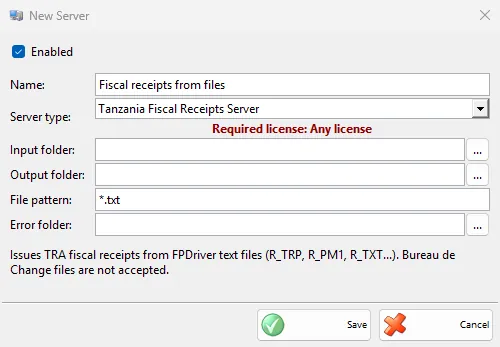
The same text files
Your software writes the same text files it wrote for the fiscal printer driver. IncoPOS reads them from a folder and issues TRA receipts.
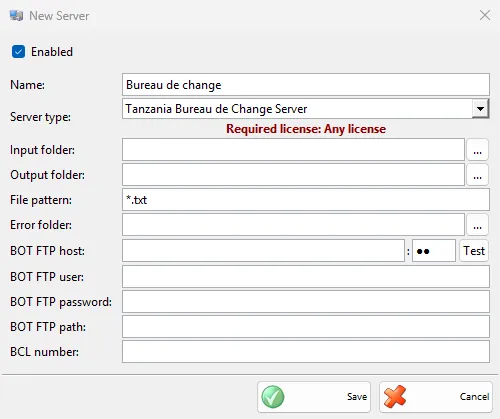
Bureau de change
Forex sales signed by TRA
Sales of currency are signed by TRA and printed with the QR code. Purchases of currency are recorded without signing.
Bank of Tanzania reports
IncoPOS builds the Bank of Tanzania XML and uploads it to the BOT FTP, and runs the Z reports automatically.
Frequently asked questions
Where is the API documentation?
In the IncoPOS documentation: Tanzania VFD REST API, Tanzania Fiscal Receipts Server and Tanzania Bureau de Change Server.
Does it work when the internet is down?
Yes. Receipts are signed locally and sent to TRA when the connection is back.
How much does it cost?
Each server needs one paid IncoPOS license: Basic is €14 per month or €149 per year, excl. VAT.
Can I test it?
Yes. The full Pro version is free for 14 days, without a card and without a contract.
Connect your software to TRA
The full Pro version is free for 14 days. Send the form and we will help you set up the server.
Prefer to talk? Call us on +359 878 223 860.